Everything you can do in PhaseCrate.
Five surfaces, one app, no upsell. Below is a tour of the parts of the app you'll use every day — and the ones you'll only meet at 1am when something has gone sideways.
A library you can actually read.
PhaseCrate's library view is a dense, sortable, filterable table for your records. Every column is real information you control — catalog number, year, BPM, key, sleeve grade, your own tags. No "Discover" tab. No "For You" row.
Filter by any column. Save filters as libraries. Group, pivot, and export the result.
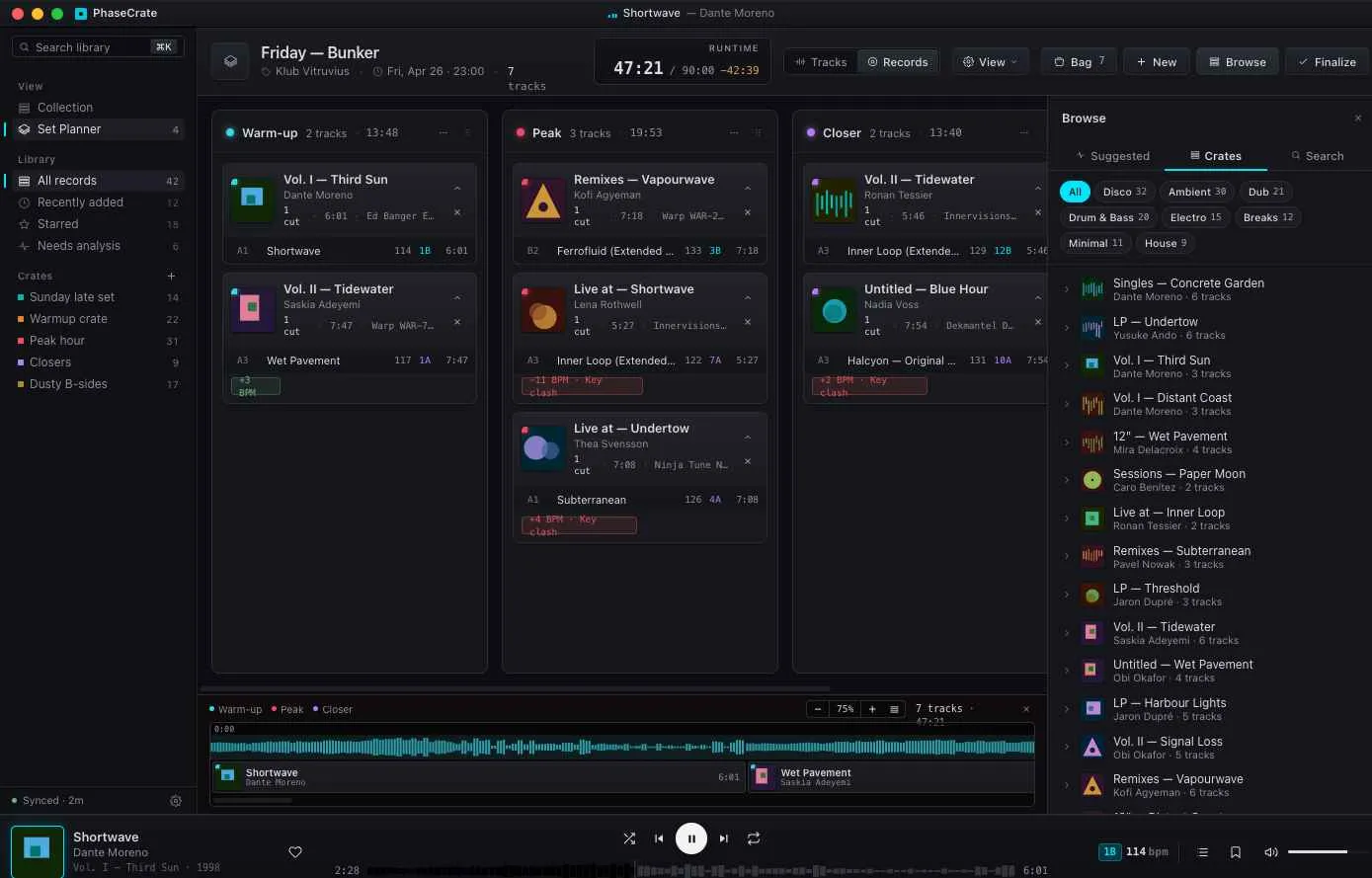
Sets are a thing, not a tag.
The Set Planner gives each set its own canvas — warm-up, peak, and closer as three columns, each tracking its running time. Build a Friday set without mangling the Sunday set.
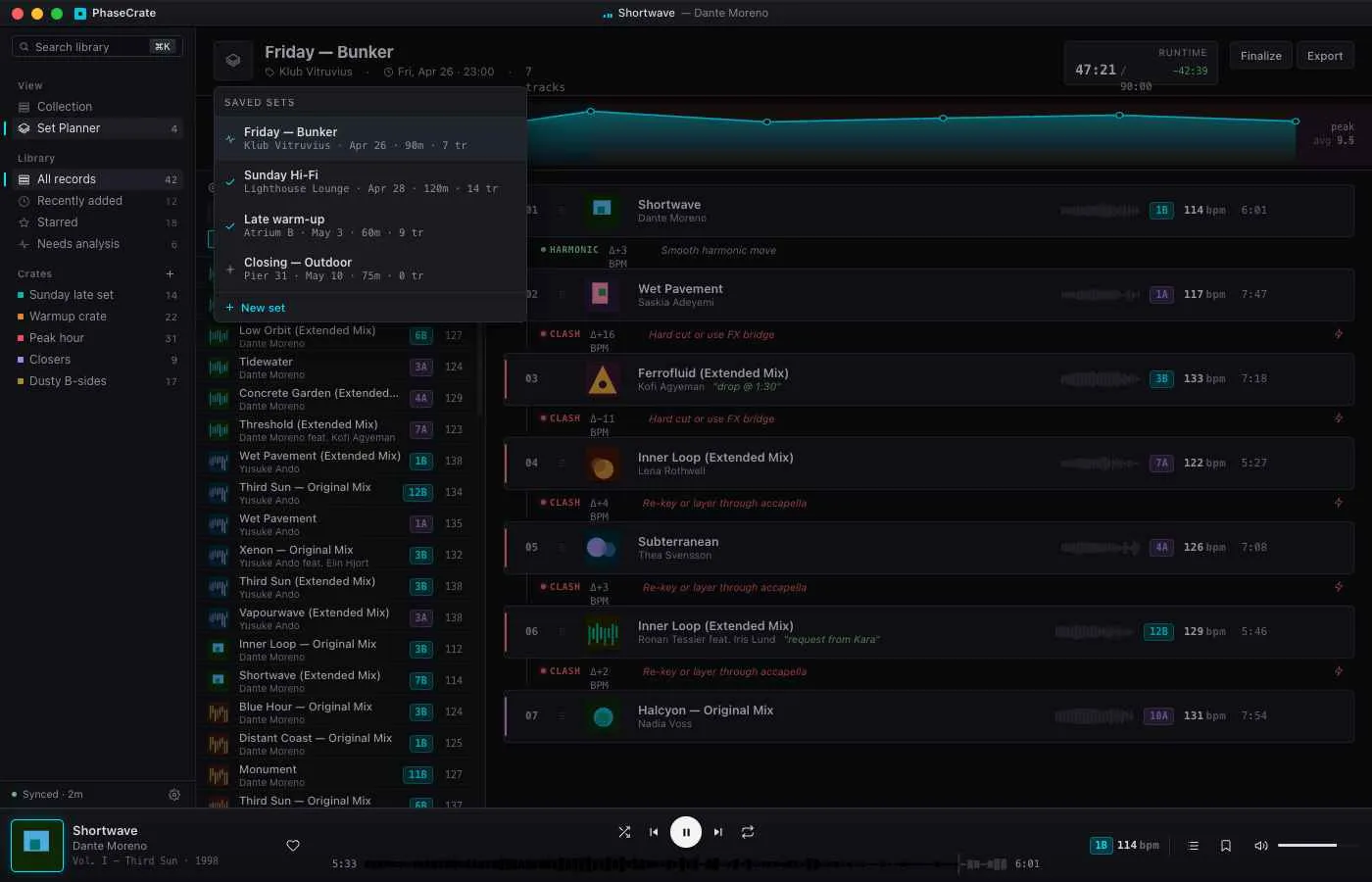
Drag a record between columns and PhaseCrate flags the BPM jump or key clash before you make it. Save the set, jump back into it whenever.
Discogs sync — both directions.
Connect your Discogs account once. After that, every change you make in PhaseCrate — added records, condition updates, sleeve notes, sales — flows back to Discogs on a schedule you set.
Or don't sync at all. Discogs is the connector, not the parent. Your collection works fine offline.
14:32 Looking for changes since yesterday…
14:32 ✓ 6 new records pulled in
14:32 ✓ 12 of your edits pushed back
14:32 ! 2 conflicts queued for your review
14:32 Idle. Next sync in 30m.
BPM and key, in the background.
Turn on PhaseCrate Cloud and every record gets a BPM and a harmonic key. We find previews online for each release and work the numbers out for you — no audio uploads, no setup, no "drag your needledrops here" workflow.
BPM, key, and per-track waveforms land alongside the record itself. Glance at them before you drop the needle, or filter your library by them.
Local-first. Sync is optional.
PhaseCrate keeps your whole collection in a single file on your computer. The app reads and writes to it directly, so browsing the library is instant whether you're online or not.
Turn on Cloud and your collection syncs to a private per-user database so it follows you across your devices. Don't turn it on and PhaseCrate still works — there's no degraded mode.
PhaseCrate vs. the things you used to use.
Honest comparisons. We've used all of them.
| PhaseCrate | Discogs (web) | Notion / Airtable | Spreadsheet | |
|---|---|---|---|---|
| Works offline | Yes | No | Limited | Yes |
| Owns your data | A file you own | Their server | Their server | Your file |
| Vinyl-aware (catalog, press, sleeve) | Native | Native | If you build it | If you build it |
| BPM & key, automatic | Yes — via Cloud | No | No | No |
| Crates with BPM curve | Yes | No | No | No |
| Two-way Discogs sync | Yes | Native | No | No |
| Telemetry | Anonymous · opt-out | Analytics | Analytics | None |
| Cost | Free · €4/mo for sync | Free | From €10/mo | Free |
Bring your records home.
Free for as long as you want. Cloud sync when (and only when) you need it.